
When Claude Gets It Wrong
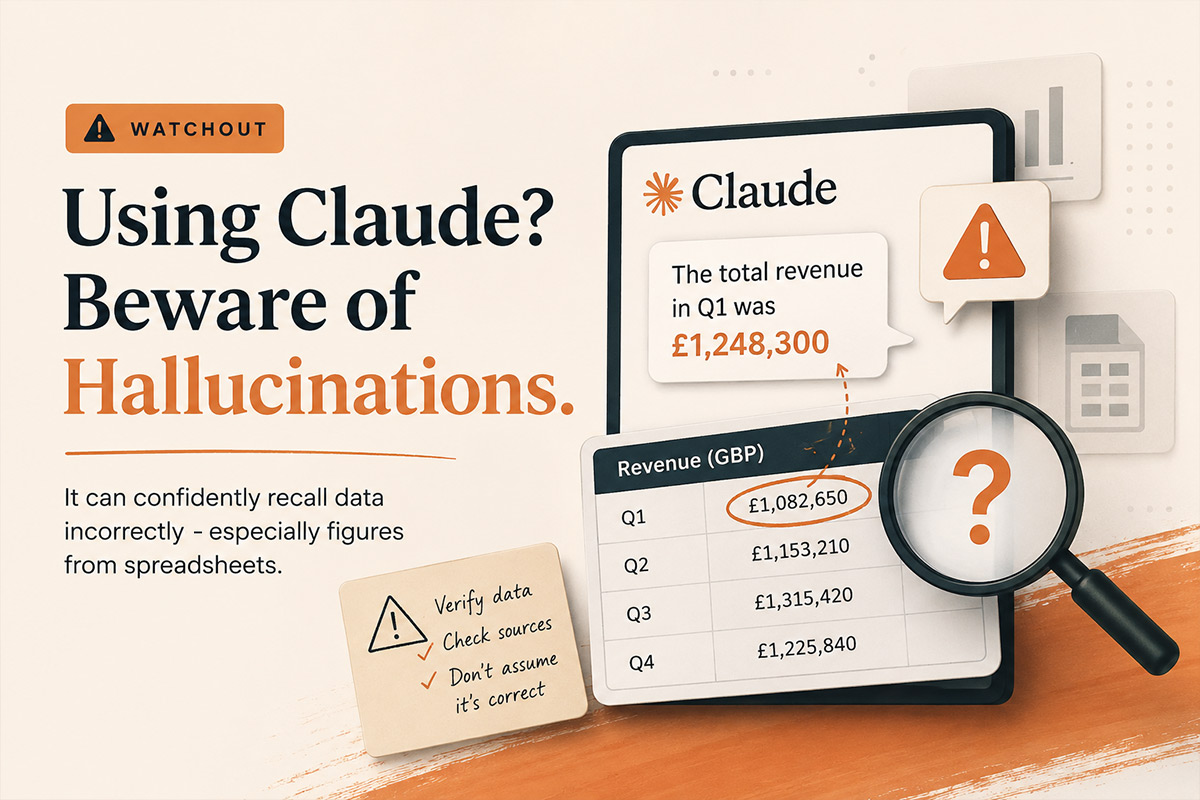
This morning, Anthropic’s flagship LLM, Claude, yet again fed me incorrect revenue figures three times in a row. AI hallucinations are becoming a real problem for anyone using it in their business.
This isn’t minor rounding errors that I’m talking about. The numbers that didn’t match the screenshots I’d uploaded 20 minutes earlier. Each time, it apologised profusely and corrected itself. Then got it wrong again.

I’m using AI daily (different LLM’s) for like many of us do for things like data analysis, sanity checking campaign strategy that I’m thinking of implementing, helping with small code changes. So are most ecommerce consultants and managers I know. But I’m seeing a problem that nobody wants to talk about, in that Claude and other LLMs hallucinate more often than we’d like to admit, and the consequences in ecommerce can be expensive for clients.
What Happened This Morning
I was reviewing Google Analytics 4 for a client. I wanted to sanity check some data that I was seeing across a Google Analytics report. In particular I wanted to check whether desktop sales were registering and at what conversion rate as it seemed incorrect. I wanted to use Claude as a placeholder to keep the info I looked at upon each report and then ask it to recall later to do the comparison. I’d uploaded screenshots of the data rather than typing it into a table. Mistake number one was just made.
Later in the same conversation, I asked Claude to recall some of the data and confirm that my findings were correct. That’s when I knew it didn’t seem right.
There was no way the data supplied could be as low as it mentioned. Upon review, there was a combination of errors at play here:
- I’d uploaded screenshot snippets instead of uploading a table of data (requiring it to read from an image)
- I’d also gave it slightly incorrect information when I screenshot data from a different time range. From this point on, it was working with two data sets and trying to understand what was wrong
When I pointed out the errors, it apologised and corrected them. But even after I’d corrected that, it kept pulling incorrect figures from earlier in the conversation. The screenshots didn’t have clear headings, so Claude was trying to remember which screenshot referred to which month. What a mess.
After the third round of corrections, I stopped. Opened a spreadsheet. Did it manually.
Why This Matters for AI in Ecommerce
If I hadn’t caught those errors, they could have gone into a client report. Strategic recommendations based on wrong data. Budget allocation decisions built on hallucinated numbers.
In ecommerce, these mistakes compound:
- Revenue reporting: Tell a client they hit £50k in November when it was actually £35k, and you’ve just set unrealistic expectations for December. Or worse, you’ve missed that performance actually dropped.
- ROAS calculations: Get the ad spend wrong by even £1,000, and your ROAS looks either terrible (leading to panic) or brilliant (leading to overconfidence). Both outcomes hurt the business.
- Attribution analysis: Mix up which channel drove which sales, and you’re about to make some very expensive optimisation decisions. Cut budget from the channel that’s actually working. Double down on the one that isn’t.
- Competitor analysis: Ask Claude to compare your site’s features against a competitor, and it might confidently describe features that don’t exist. I’ve seen it happen.
- This isn’t about AI being useless. It’s about recognising where it fails and building safeguards.
Why Claude Hallucinates (And When It’s Worse)
From what I’ve observed across dozens of conversations:
- Long conversations with lots of data are dangerous. Claude has to recall information from earlier in the thread. The more you each take turns in the conversation, the more likely it is to mix things up or remember incorrectly.
- Screenshots without context trip it up. When you upload images of data tables without clear headings, Claude has to establish what each screenshot represents. Sometimes it guesses wrong if it doesn’t go back and find the image and find the nuance of the conversation associated with it.
- Contradictory information breaks it. If you give wrong data at any point in the conversation (like I did with the date ranges), Claude can latch onto that and struggle to fully correct course, even after you’ve clarified that you made a mistake. By this point you might as well start again fresh..
- Recall requests are risky. “Using the data from earlier, calculate X” relies on Claude’s memory of the previous conversation. If there’s any ambiguity in what “earlier” refers to, you’re rolling the dice.
- Model versions matter. I was using Sonnet 4.5 this morning. Different models handle context differently. Opus tends to be better with complex data, but costs more per query. Haiku is faster but can miss nuances.
- Poorly structured prompts don’t help. If your prompt is vague (“give me some insights”), Claude has more room to fill in gaps with guesses rather than facts.
What I’ve Learned the Hard Way
Don’t trust Claude with calculations and recalling figures data in long threads. If I’m working with figures, campaign spend, or ROAS calculations, I now start fresh conversations. I don’t ask it to recall data from 30 messages ago.
Structured data beats screenshots. Instead of uploading images of tables, I now paste the actual numbers in a clearly formatted markdown table. Or better yet, I link to a spreadsheet. Less room for misinterpretation.
Verify everything before it goes to a client. This seems obvious, but when you’re moving fast, it’s tempting to trust the AI output. I’ve caught myself doing it. Now I manually spot-check every number Claude gives me before it goes anywhere near a client report.
Be explicit about what you’re referencing. Instead of “using the previous data,” I’ll now say “using the November Google Ads data where spend was £6,420 and revenue was £52,847.” No ambiguity.
Break complex requests into smaller pieces. Rather than “analyse all this data and give me a comprehensive report,” I’ll now do it in stages: “First, confirm you have the correct revenue figure for each month. Then, calculate year-on-year growth. Then, identify the top three performing campaigns.”
Use the right tool for the job. Claude is excellent for interpreting trends, suggesting strategy, writing copy. It’s not a replacement for Excel when you need precise calculations across dozens of data points.
What Claude Actually Excels At
This isn’t a “don’t use AI” piece. I use Claude multiple times a day and it’s genuinely made me more productive. But I use it for the right things:
- Strategic thinking: “Given these email open rates and this AOV, should we prioritise growing the list or improving conversion?” Claude excels here.
- Content creation: Product descriptions, email copy, ad variations. As long as I give it clear brand guidelines and examples, it’s brilliant.
- Technical problem-solving: “This Shopify Flow isn’t triggering correctly, here’s the setup.” Claude can often spot the issue faster than I can.
- Competitor analysis (with verification): “Look at this competitor’s site structure and suggest improvements for ours.” Helpful starting point, but I always verify the competitor analysis manually.
- SEO meta data: Writing unique meta titles and descriptions for 300 products. Claude won’t hallucinate product features if I feed it the correct product data first.
The key word there is “verification”. I trust Claude’s suggestions. I don’t trust its facts without checking them.
The Real & Underestimated Risk Of Trusting An LLM 100% Of The Time
The danger isn’t that AI makes mistakes – we all do. The real danger is that AI makes mistakes confidently.
When I get a number wrong, I’ll question myself thinking “I think it was around £30k, let me double-check.” Claude doesn’t hedge. It’ll tell you the revenue was £47,392.18 with complete confidence, because based on the input and context in the chat you’ve had so far, it thinks it’s right.
Because it sounds so certain, you can quite easily believe it. Until you start questioning it, or until you’ve sent the wrong data to a client. Or you’ve potentially made a strategic decision based on hallucinated numbers. Maybe you’ve recommended cutting budget from your best-performing campaign because Claude mixed up the attribution.
I’ve seen business owners and ecommerce professionals at established companies implement AI tools without proper oversight. “It’ll save us time on reporting,” they say, and of course they are right. Well, until someone realises that it’s potentially been wrong for months and you’ve blindly been supplying and making business decisions based on the wrong information.
How to Protect Yourself From Incorrect AI Feedback
If you’re using Claude or ChatGPT or any LLM for ecommerce work, here’s what I’d recommend:
- Treat AI like an intern: It can be brilliant at research and first drafts. However it needs supervision on anything that matters. Would you let an intern send revenue figures directly to the client without checking them first? No. Same applies here.
- Build verification into your workflow: Any data that goes to a client, should get checked manually. Any strategic recommendation based on numbers, verify the numbers first. Any calculation, run it through Excel as well.
- Keep data work in shorter conversations: Long threads are where things go wrong. If you’re working with complex data, start fresh conversations more often.
- Document your sources: When you’re feeding data to Claude, paste it in a format where both you and Claude can refer back to it unambiguously. “Month 1” is asking for trouble. “November 2024” is clearer.
- Know when to stop: If Claude is getting things wrong repeatedly, don’t keep trying to correct it within the same conversation. Stop the conversation. Start again, switch tools or do it manually. Yes – like you used to!
- Test before you trust: If you’re setting up an AI workflow for reporting or analysis, run it parallel to your manual process for a month. Compare the outputs. See where it breaks.
What I’m Doing Differently Now
After this morning’s mess and numerous previous issues with hallucinations, I’m changing how I use Claude:
- For data analysis, I now use spreadsheets first, Claude second. I’ll paste final figures into Claude for interpretation, but I’m not asking it to do the calculations.
- For client reports, I verify every number against source data before it goes out. Even if it means an extra 10 minutes of cross-checking.
- For strategic recommendations, I make sure any data the recommendation relies on is clearly stated in the prompt. “Based on £6,420 spend and £52,847 revenue in November…” No room for misremembering.
- For long projects, I start new conversations more often. If I’m working on something over several hours, I’ll break it into phases with fresh threads rather than one monster conversation.
It will add a bit of time to my workflow. But it’s worth it, because the time I’m spending on verification is nothing compared to the time I’d spend fixing decisions made on bad data.
My Final Take
For the record, I’m not anti-AI. I’m pro-accuracy, especially when using an LLM to review anything client-side. And right now, Claude and other LLMs aren’t accurate enough to trust blindly with ecommerce data.
They’re really powerful tools. But they are tools that need oversight, especially when money is on the line.
If you’re using AI in your ecommerce work, and you probably should be, just remember that just because you gave an LLM a prompt with an expected outcome, it’s not always right. Claude will tell you it’s certain about numbers it’s completely wrong about.
Your job is to catch those mistakes before they become decisions. This is why I really feel for those people who are blindly managing ecommerce SEO with AI.
Because in ecommerce, bad data leads to bad strategy. Bad strategy leads to wasted spend. And wasted spend is how seven-figure brands end up back at six figures wondering what happened.
Using AI in your ecommerce business? I’d be interested to hear whether you’ve run into similar issues, or if you’ve found workflows that minimise hallucinations. Drop me a message or connect on LinkedIn.