
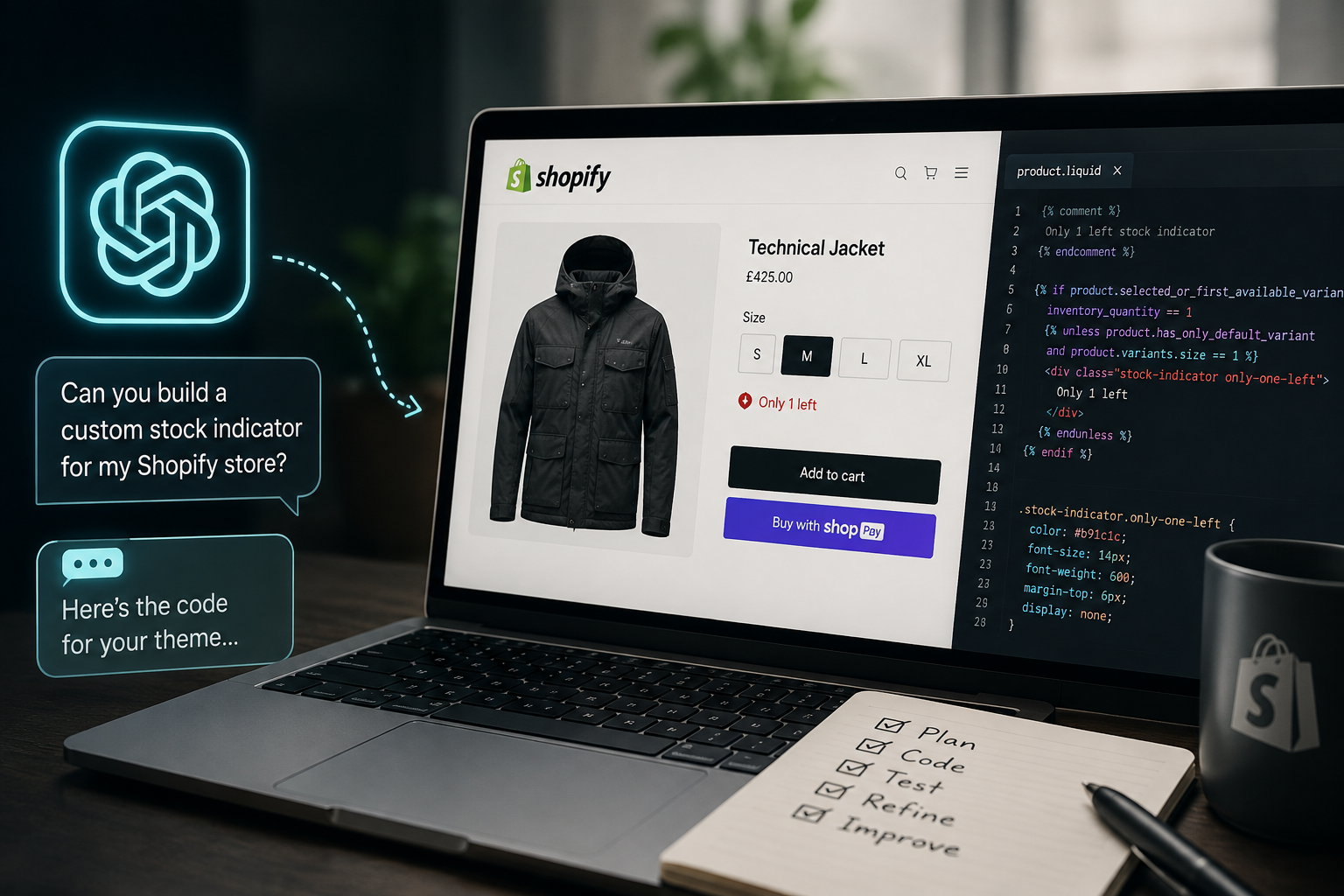
I’ve seen a lot of people saying they can replace developers with AI. And, yes, I agree you can use AI instead of a Shopify developer for a lot of small, self-contained jobs, and I recently did exactly that, just as I have many times before. I’ve just added a working “Only 1 left” stock indicator to a client’s product pages without hiring anyone.
However there’s a catch that I think people selling the whole “AI can run your Shopify store” are completely overlooking. The AI wrote the code. I still had to know what the code was supposed to do, whether it could be done, spot when it was wrong, and test it until it actually worked.
That gap, between generating code and making it work is the wider story that I’m going to run through below.
Here’s what happened, and in hopefully gives you an idea of where AI genuinely saves you money and where it can potentially cost you more.
What I Was Actually Trying To Build
One of my retained clients sells designer menswear, and a lot of their stock comes in short size runs. A jacket might be down to a single unit in Medium and one in XXL, with the popular middle sizes already sold out. A small “Only 1 left” flag on those sizes is a proven nudge to aide conversion. It adds urgency exactly where urgency needs to be, and it tends to lift conversion on the sizes most at risk of selling out before someone commits to the purchase.
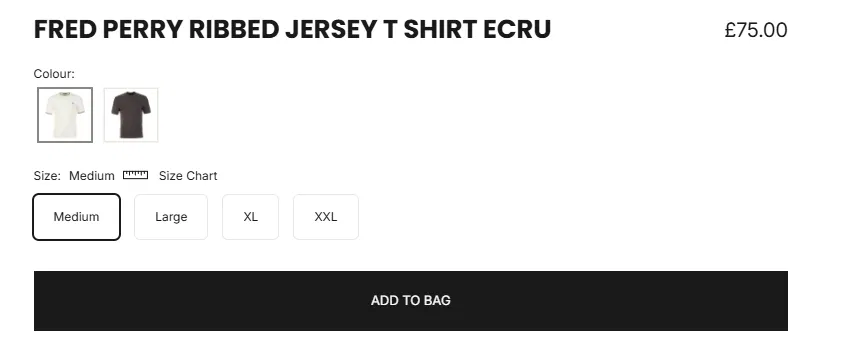
The brief was deliberately small and contained. I didn’t want a product count on sizes with plenty of stock, no “in stock” clutter, just a subtle flag that appears on the size that genuinely has one left, and nothing anywhere else.
The client hadn’t even asked for it. I reckoned it would help, so I built it within my retained hours.
A developer quote for a bespoke inventory flag on a custom theme would sit somewhere in the low hundreds by the time you account for the back and forth. I spent an hour one morning and the cost of an AI subscription.
So How Did It Actually Go?
Well it didn’t entirely go to plan and that’s certainly worth mentioning right from the start.
First of all though, if you’re planning on coding anything on your Shopify theme – back it up before you touch any code.
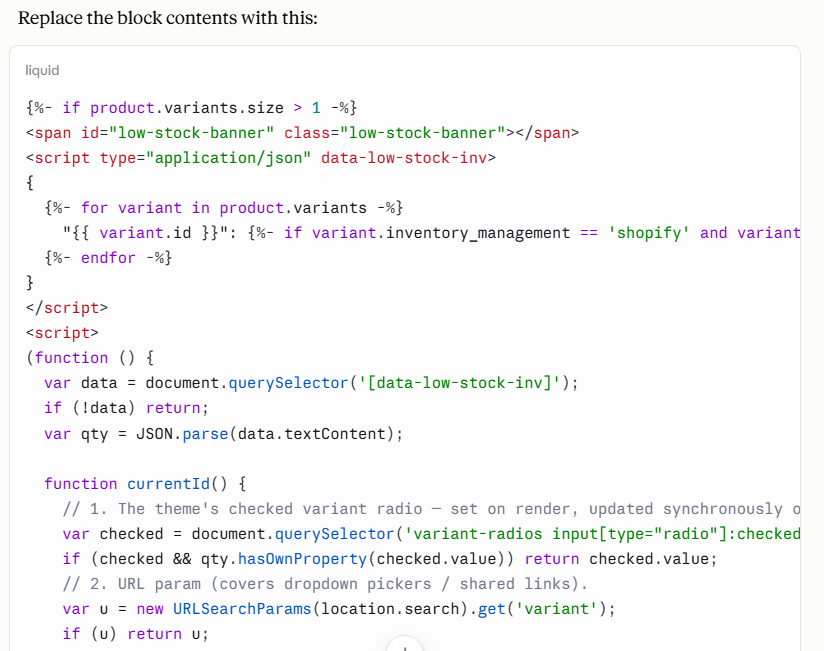
Even after building out a pretty strong prompt outlining my vision, the first version rendered nothing at all. Claude reviewed the code I shared from a few liquid snippets and established that the theme actually had its own built in version of what I wanted, however it wasn’t displaying. Claude decided that we should try and reactivate that first. We (me and my mate Claude) found the theme’s own built-in stock block turned out to output a green “in stock” badge and a progress bar on every product, the opposite of the clean single flag I wanted. We stripped it down but it still showed nothing because the block was never switched on in the theme editor.
After working on the theme customiser, we added a new custom liquid block to see if that would work. It showed! It looked visually as I expected, but then I tested it.
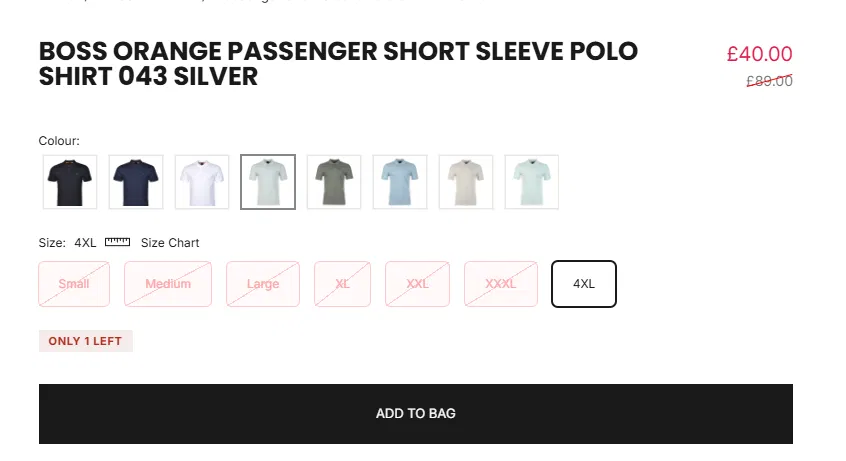
It was showing on products with plenty of stock because a browser quirk meant the flag was never being hidden properly, only emptied of its text. It made it look like products with 5 or 6 in stock only had 1 left which was false.
Then it broke on one-size accessories, leaving an empty coloured box.
Then it stopped showing on genuinely low-stock items because the code was reading the selected size from the wrong place.
Then it flickered on page load, appearing, vanishing, then reappearing only when you clicked the size that was already selected.
Every one of those was fixed. The finished flag now does exactly what the brief asked. But look at that list again, because none of those problems announced themselves. The AI didn’t say “by the way, the theme hides elements in a way my code overrides.” I had to notice the empty red box on a bobble hat, work out that it meant the hide wasn’t working, describe that back precisely, and get the next version.
What You Actually Need To Bring To The Table
This is the honest answer to “can AI replace a developer,” and I think it’s less about the coding and more about judgement. Across that morning, the things that moved this development forward were not really pieces of technical wizardry. They were a series of decisions that I had to make judgement calls upon, drawing on my knowledge of ecommerce and Shopify.
I had to describe the problem accurately to enable Claude to understand what the issue was. “It doesn’t work” gets you nowhere. “The flag shows ‘Only 1 left’ on a Medium that has six in stock, but only after I’ve clicked a size that truly had one, so I think it’s holding the old text” gets you a fix. The quality of what comes back is capped by the quality of what you put in.
I had to recognise a wrong answer as wrong. The AI confidently gave me code to use every single time. Several times that code was subtly broken, or introduced a new bug by fixing another. If I couldn’t tell a working result from a plausible-looking one, I’d have shipped a piece of front-end development that lies to customers about stock levels, which is worse than no flag at all.
I had to know my way around the theme. Where the product template lives, how to preserve the original code by commenting it out before changing anything, how to add a custom code block in the theme editor and drag it into the right position. When one method hit a wall, I knew there was another way to try and resolve it. Someone without that map would have been stuck at the first dead end or burned through a lot of credits trying to achieve the end result.
I had to test it properly. Not on one product, on several: a one-size accessory, a jacket with a single low-stock size, a shirt with two sizes down to their last unit, a product where the low-stock size happened to be the default. Most of the bugs only appeared on specific combinations. A single happy-path test would have declared victory three broken versions too early.
None of that requires you to write code. All of it requires you to understand what the code is doing and whether it’s meeting the brief. That’s the line. AI has moved the skill from “can you write it” to “can you direct and verify it,” and the second one is doing more work than the marketing suggests.
The Bits Nobody Mentions
There’s a couple of things worth knowing before you try this yourself, because they affect both your results and your bill from your chosen LLM – mine was Claude.
Use a capable model for anything with moving parts. For a multi-step debugging job like this, a stronger model reasons through the interactions between browser behaviour, theme code, and your specific setup far better than a lightweight one. On a fiddly task, the cheaper model is often the more expensive choice once you count the wasted rounds.
Screenshots help, but they cost more tokens. Showing the AI a picture of the empty red box was worth ten sentences of me trying to describe it. Just know that images consume noticeably more of your usage allowance than text, because the model has to read them. Use them where a picture genuinely saves confusion, not for everything.
Preserve before you change. Before editing any theme file, I kept the original code intact, commented out, sitting directly above the new version. I also made an entire theme backup. If a change had gone wrong, reverting was a ten-second job rather than a panic. This is basic developer hygiene, and it’s exactly the sort of thing AI won’t remind you to do.
Where I Would Not Have Done This Without a Developer
The reason this worked is that the job sat in a sweet spot and that is important to establish at the beginning so you don’t over-reach.
It was a self-contained, front-end feature. It touched no checkout, no payment logic, no customer data, no third-party integrations that could break in ways I couldn’t see. more importantly, I could test every outcome myself in a live preview and know immediately whether it was right.
If you touch any of those, the calculation changes fast. Anything touching checkout, tax, or payments is where a small mistake becomes a real financial problem, and it’s the area I’d never hand to AI alone. A data migration you can’t easily reverse, a change whose effects you can’t fully observe, or a build on a platform you don’t know your way around: those are where the money you “saved” on a developer turns into a much larger bill to fix what went wrong. Knowing which side of that line a job sits on is itself part of the expertise.
Frequently asked questions
Can AI write Shopify Liquid code?
Yes. It can produce Liquid, JavaScript, and CSS for theme customisations, and for well-defined, self-contained jobs the output is often production-ready after testing. The limit isn’t whether it can write the code, it’s whether you can specify the job clearly and verify the result.
Is it safe to use AI to edit my Shopify theme?
For small front-end changes, yes, provided you take basic precautions: work on a duplicated theme or preserve the original code before changing it, and test across several products before publishing. Avoid using AI unsupervised on anything touching checkout, payments, tax, or customer data, where mistakes carry real cost.
Do I still need a Shopify developer if I use AI?
For complex, high-risk, or platform-critical work, yes. AI has lowered the barrier for simple customisations, but you still need someone who can judge what’s safe to attempt, recognise a wrong answer, and know when a job belongs with a professional. Often that judgement is the thing worth paying for, more than the typing.
How much can AI actually save on Shopify development?
For a small, self-contained feature that might otherwise cost a few hundred pounds through a developer, AI plus your own time can bring that close to the cost of a subscription. The saving shrinks or reverses as the job gets more complex, because the risk and the time-to-verify both climb.
The Honest Conclusion
Can you use AI instead of a developer for Shopify? For the right job, yes you definitely can, and I’ve saved so much for clients in developer’s fee doing that. But “the right job” needs a lot of consideration. The AI didn’t simply replace a developer. It replaced the thinking about the request and the output. The knowing what to type, spotting when the answer was wrong, and testing until it was right stayed with me the whole way through. If you have that, AI is a serious cost-saver. If you don’t, you’re not saving money, you’re just moving where the bill lands.
Related Reading
- Why I switched to Claude from ChatGPT for ecommerce work
- AI mistakes in ecommerce
- My analysis of Ecommerce in the AI age
- Good Vs Bad Prompts: How To Get Good AI Product Descriptions
If you’ve got a Shopify job you’re not sure belongs with AI or a developer, that judgement call is exactly the kind of thing I help clients with. Get in touch.