
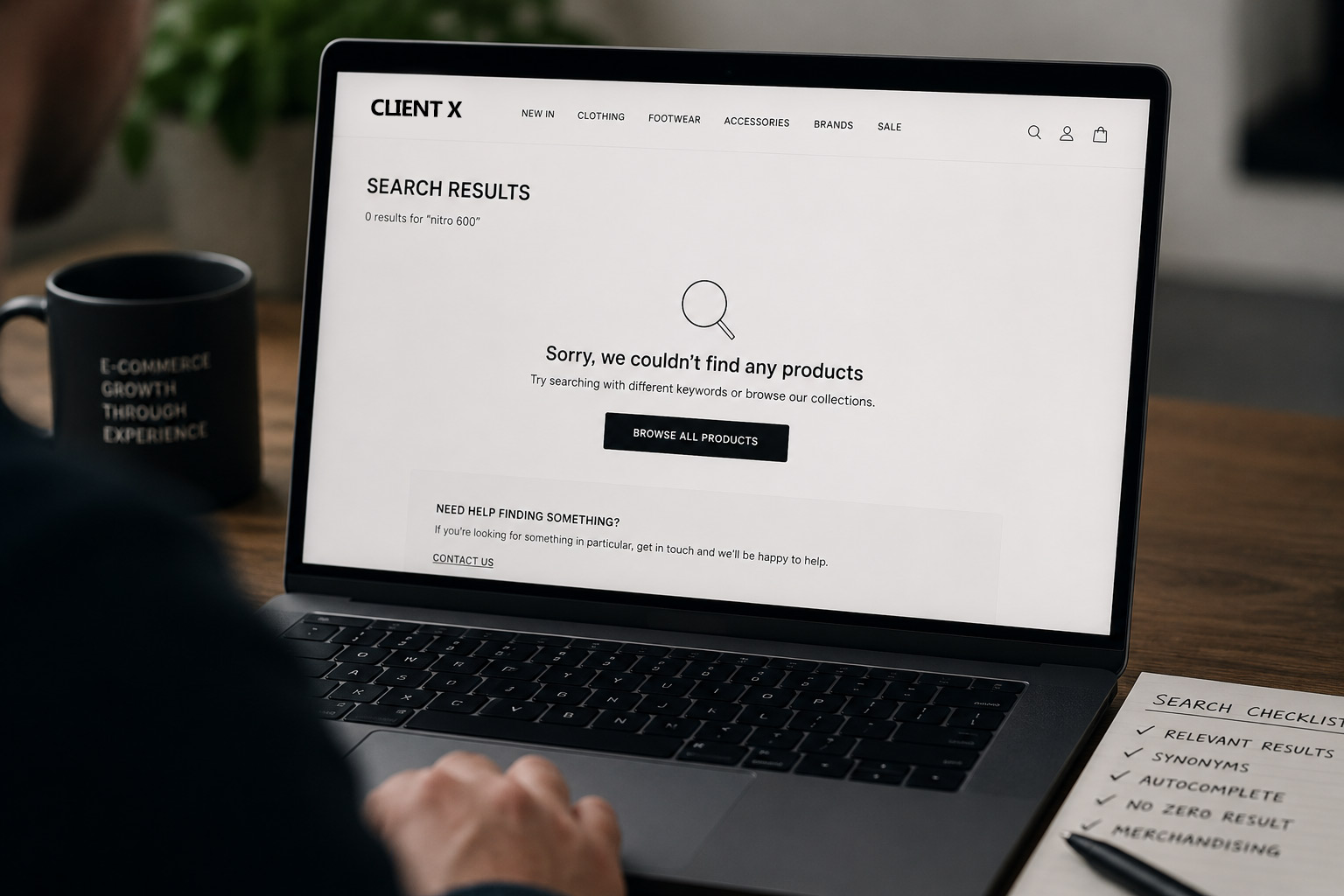
If your Shopify search has started returning inaccurate results, missing products it should show or surfacing ones it shouldn’t, you’re not necessarily doing anything wrong. When I ran into this with a womenswear client recently and reached out to Shopify, their team told me they’d changed their search indexing in a recent update and that accuracy was a known issue they were still working to resolve. So if your search feels like it’s gone backwards, plenty of other stores will have felt the same thing. Here’s how I diagnosed it, the honest conversation I had with the client about the part that was avoidable, and what I did to get him a search he could rely on again.
Transparency note: I’m a partner of a few search and filtering apps, including Searchanise and Boost, so this post contains an affiliate link. However I only ever put clients on tools I’d use myself, and as you’ll read, I moved this client onto a cheaper plan than the one he’d picked.
What Was Going Wrong With Their Site Search
The client rang me because his Shopify search had gone backwards and wondered if I’d changed anything on his site. It was returning inaccurate results, missing items it should have shown and pulling in things it shouldn’t. The specific thing that “broke” is potentially similar to how a lot of other Shopify stores use their own on-site search, explained below.
He’d been using the search results page to power precise links. He would search by a product code and then use that search results url to power a link in a newsletter banner. This meant when clicking the banner on the newsletter, it returned the search results rather than an individual collection. It’s a convenient way to build an ad-hoc landing page without creating a new collection every time. However, when the search results stopped being accurate, those banner links stopped delivering the right products, and a marketing campaign was quietly pointing customers at the wrong things.
My Diagnosis: Part Shopify, Part Fragile Setup
Two things were going on, and I had to separate them.
First, I reached out to Shopify and the Search & Discovery team directly rather than guessing. They confirmed the inaccuracies that we were seeing was due to their search indexing changing in a recent update. Accuracy was affected, and asked us to bear with them while they worked on it. That’s an important finding to point out, because it cleared the client’s own store of blame, which he originally suspected. This wasn’t his configuration, it was a platform-level change he had no control over.
Second, and I was straight with him about this, part of the problem was entirely avoidable. Relying on a product code that only lives inside a product description is a fragile way to drive a precise link. A search query built on codes buried in descriptions can’t be relied on to return exactly the right set at the best of times, and it’s the first thing to break when the platform’s own indexing shifts under you. Diagnosing properly means telling a client what’s Shopify’s fault and what’s worth doing differently, even when the second part is the more awkward conversation.
Search Links, Or Collections? The Trade-Off
The obvious alternative is a dedicated collection for each code, which gives you a stable, reliable URL to link to from a banner. But it’s not the free win that you think it is. Go too far down that road and you end up with a sprawl of thin collection URLs to manage and keep tidy, which brings its own SEO and maintenance headaches, especially if you are running a store with thousands of products.
So both approaches have ups and downs. Search-driven links are flexible but fragile. Collections are stable but multiply your URLs. Part of the job is knowing which one fits a given store and a given campaign, rather than treating either as the right answer for everyone.
The Search Fix, And Why I Chose It
We gave Shopify support a week or so. When it was clear the fix wasn’t coming quickly (if ever) and the client needed a search he could rely on now, not eventually, I moved him onto Searchanise for search (not collection filtering yet). It gave him a smarter quick-search box, a better results page with proper filtering, and search accuracy he could trust again. It needed a small data cleanup first, mostly to stop customers seeing near-duplicates like “dress” and “dresses” as separate product types.
The point isn’t the specific app. It’s more that when a platform-level issue is hurting a live store and there’s no firm timeline for a fix, waiting indefinitely isn’t acceptable. You have to diagnose the cause, then making a considered call to route around it.
The Goldmine Of Search Analytics: What The Search Data Revealed
One of the upsides of using a premium on-site search tool is that they often come with their own set of detailed analytics. This is a goldmine of information to show you how your customers are actually using your store site search, and subsequent filters. It then gives you a chance to take that data and optimise to ensure your site is primed to handle it the next time it’s searched.
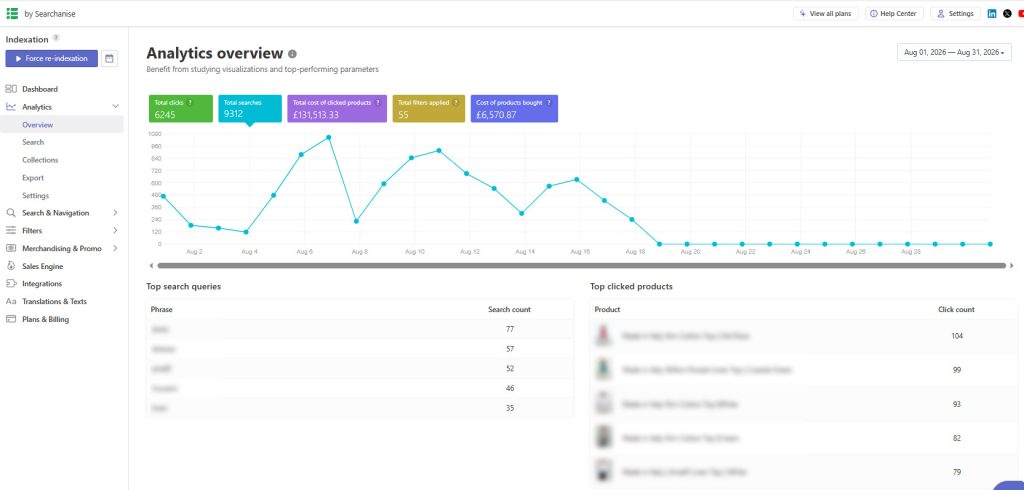
The clearest example: with summer heat driving demand, “dress” and “dresses” were the two most-searched terms. A search for “dress” returned over 40 products. A search for “dresses” returned just 4. Same intent, completely different experience, purely down to tagging and how the plural was matched. And it showed up where it hurts, products bought off the back of the “dresses” search across a whole month came to zero. A single synonym mapping “dresses” to the full range fixed it in minutes. I found the same pattern on an “all dresses” search: 28 queries, a click-through rate of just 17%, now captured by the same fix and set to climb.
Then another big one. Searches for “plus size” returned zero results. There’s a reason, the clothing is loose-fit and effectively one-size, so nothing is tagged that way. But that’s a high-intent customer asking whether the clothing will fit them, and a blank page is the worst possible answer. This is a live fix I’m still working through: rather than just dumping all products in front of them, I’m building an informational sizing page that explains how the one-size, loose-fit clothing works and who it suits, then directing “plus size” searches there. It answers the real question instead of dodging it. I’ll update this post once the page is live.
The filter data was just as telling. The product type filter was used almost half the time, so those options need to be as accurate as possible. More interesting, colour and pattern came next, both ahead of price. That isn’t always the case, plenty of stores see price used first. Not here. These customers are comfortable with the pricing and far more interested in what they can buy and in which colour and pattern. That points the merchandising effort at imagery and product options rather than discounting.
The Plan I Moved Him Down From
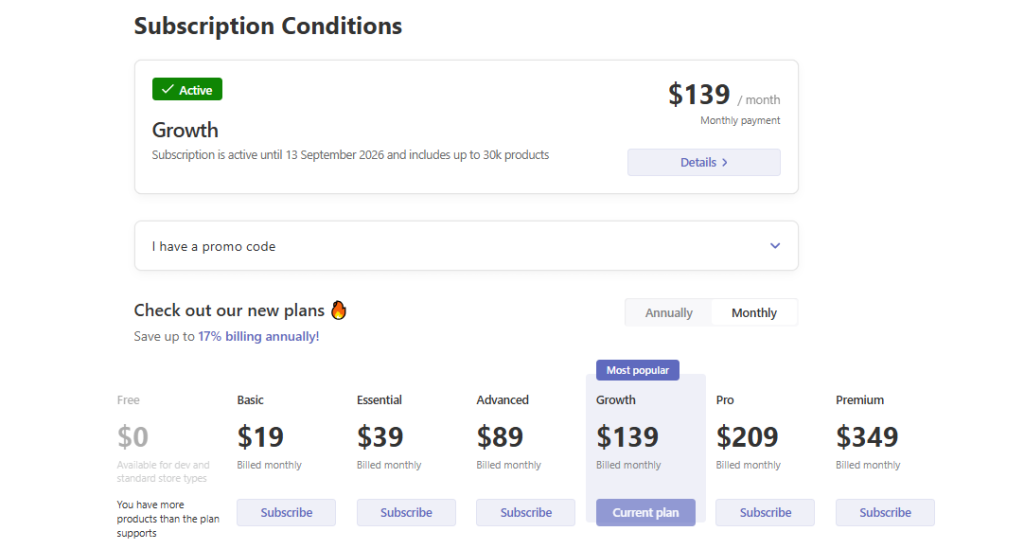
One last thing, because it is important in case you install the same app. He’d originally opted for the $139-a-month plan as it was flagged as “recommended”. He didn’t need it. I moved him down to the $19 plan, which does everything this store requires for the volume of products that he had. He’s now paying $228 a year, instead of potentially paying $1,668. A $1,440 saving is the sort of call that only comes from having done this before, and it’s why speaking to someone who knows the tools tends to pay for itself.
What To Do If Your Shopify Search Feels Wrong
If your search has become less reliable lately, don’t assume it’s your setup and start pulling things apart. Check with Shopify first, because as I found, a platform-side indexing change can be the cause and there’s nothing to fix on your end. Then look closely at how you’re relying on search, especially anywhere you’re using it to power precise links. And whatever tool you land on, open its analytics and read the search reports like a list of customer questions, because that’s exactly what they are. This ties closely to the wider question of why a Shopify store isn’t making sales, and it sits within the analytics and conversion work I cover in my GA4 and CRO services.
Frequently Asked Questions
What are zero-results searches and why do they matter?
A zero-results search is when a customer searches for something on your store and is shown nothing. They matter because they’re high-intent moments where someone told you exactly what they wanted and you had no answer. Often the product does exist but is tagged or named differently, so the sale is lost to a wording gap rather than a missing product.
How do search synonyms help ecommerce sales?
Synonyms map the different words customers use to the same set of products, so “dresses”, “dress” and “all dresses” all return the full range. Without them, small differences in phrasing can return tiny or empty result sets, and customers leave. Adding the right synonyms is often a minutes-long fix that recovers sales on searches you already get.
Is Shopify’s default search good enough?
For a small catalogue it can be fine, but the default Search & Discovery gives you limited insight into what customers are searching for and how often those searches fail. A dedicated search app adds better filtering and, more importantly, the analytics that show you where you’re losing sales. Which app is right depends on the store, which is why I don’t recommend the same one to everyone.
Should I use my search data for merchandising decisions?
Yes. Filter usage shows you what your customers care about most. If colour and pattern are used more than price, that tells you to invest in imagery and product options rather than discounting. Your search data is one of the clearest windows you have into how your specific customers shop.
Wondering What Your Own Search Data Is Hiding?
I dig through the reports most store owners never open and turn them into fixes that recover sales you’re already close to making. If that sounds useful, let’s talk.
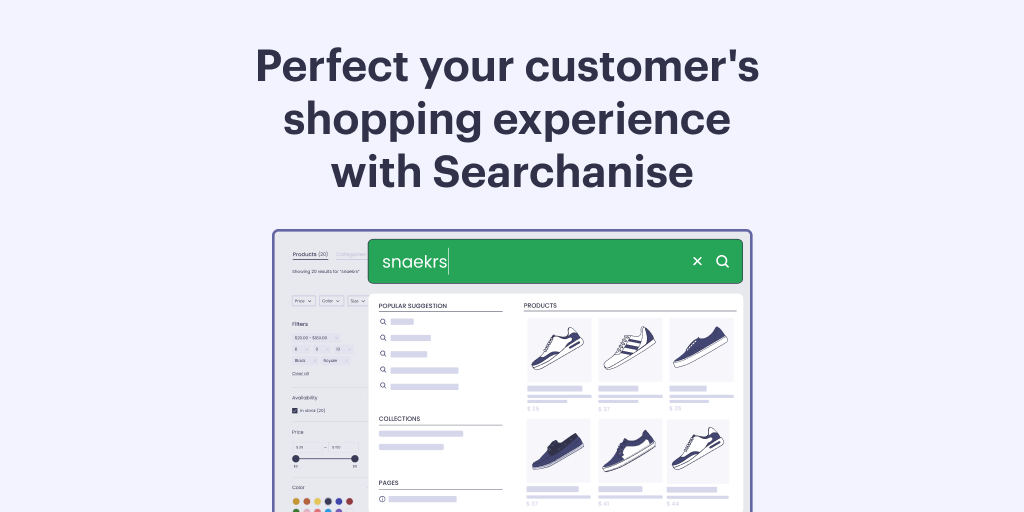
The banner above shows exactly the point of this post: a search bar that understands what the customer meant, misspelling and all. Affiliate link, and I’m a Searchanise partner.