

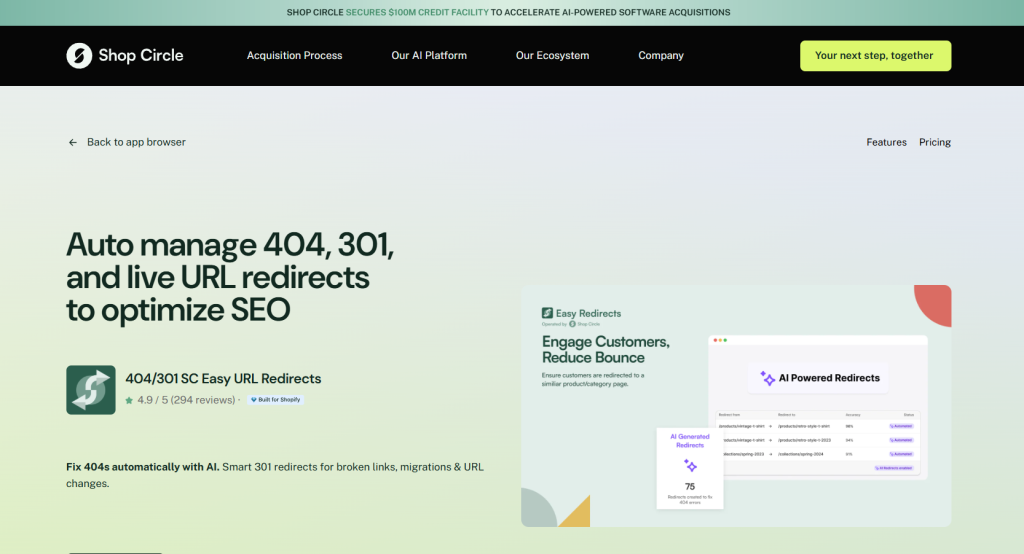
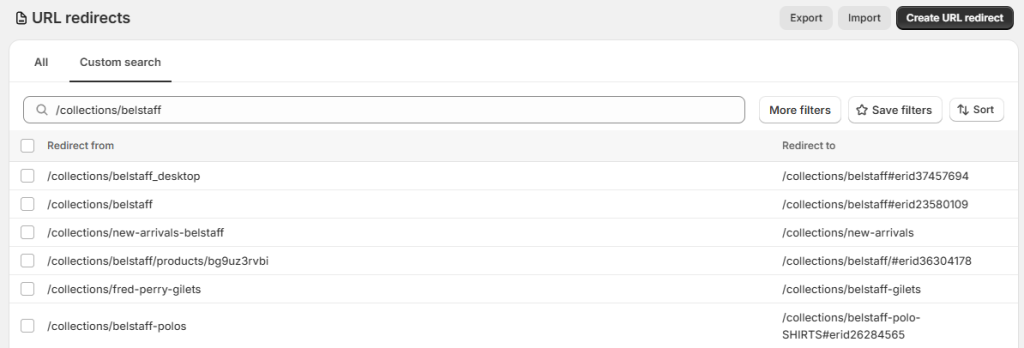
If your Shopify redirect targets end in something like #erid23580109, you almost certainly have the Easy Redirects app installed, or had it at some point.
The erid is the Easy Redirects ID, a small tracking tag the app adds to the end of a redirect so it can count how many times that redirect gets used. It’s harmless, Google ignores it, and it is not a hack. I had to go digging into this on a client’s store recently and the first search result was enough to give me a slight panic. “erid” is also the name of a mandatory advertising token under Russian law, the one that has to sit inside ad links as ?erid=. So if you’ve googled the term and landed on pages about Roskomnadzor and ad labelling, that’s where the panic comes from. It’s just a coincidence and nothing to worry about.
What #erid Actually Is
Easy Redirects, a Shopify app now part of ShopCircle, sticks #erid followed by a number onto the destination of every redirect it manages. That number is a unique ID for the redirect. When a shopper follows the old link, the app uses the ID to log a hit, which is how it shows you a hits count against each redirect in its dashboard. You’ll see it flash in the address bar for a split second and then drop off. That’s because everything after a # is a fragment. Browsers deal with fragments on their end and servers ignore them, so the page you actually land on is the clean one.
Does #erid Hurt Your SEO?
No. Google reads /collections/belstaff#erid23580109 as /collections/belstaff. Fragments aren’t treated as separate URLs, so nothing gets diluted, duplicated, or dropped from the index. Easy Redirects confirms the same in their own documentation. The redirect keeps doing its job as a normal 301 from the old URL to the new page. The tag is only bookkeeping.
How to Check Where it’s Coming From
Go to Settings, then Apps, and look for Easy Redirects. If it’s there, that’s your answer, and you should manage these redirects inside the app rather than the raw Shopify list. If you’d rather see the scale of it, open Online Store, Navigation, URL Redirects, and search “erid”. If a stack of your targets carry it, they were created or bulk imported through the app. If Easy Redirects isn’t installed but the tags are still there, the app was removed at some point and left its redirects behind. That’s normal. Apps routinely leave their redirects in place when you uninstall them, which is usually what you want, since deleting them would break the old links they were rescuing. ## How to get rid of #erid, if you want to It’s harmless, so leaving it alone is a perfectly good option. If it bugs you: With the app still installed, manage or delete the redirects inside Easy Redirects. There’s a useful side benefit here: the hits column tells you which old redirects still pull traffic and which have been dead for years and can be retired. With the app uninstalled, the redirects are now plain static entries. Edit the target to strip the #erid… off the end, or delete the redirect outright if the old URL no longer needs pointing anywhere.
The One Gotcha That Catches People Out
Easy Redirects will sometimes leave a redirect sitting on a live collection URL, for example /collections/belstaff pointing to /collections/belstaff#erid…. That redirect never actually fires, because Shopify only redirects broken URLs, never live ones, so it does nothing you can see. The trouble is that its existence makes Shopify treat that collection as a redirect source, and Shopify won’t let you point a new redirect at a URL that’s already a source. So the day you try to redirect a discontinued product to /collections/belstaff, you get the error “a redirect can’t be redirected to a redirect” and no obvious reason why. Delete the inert entry sitting on the live collection and the block clears straight away.
Frequently Asked Questions
Is #erid a virus or a sign my store’s been hacked?
No. It’s a tracking tag added by the Easy Redirects app. There’s nothing malicious about it.
Is the Shopify #erid the same as the Russian advertising token?
No, they just share a name. The Russian erid is an ad-labelling token that goes in ?erid= links. The Shopify one is the Easy Redirects ID in a # fragment. Unrelated.
Will removing #erid break my redirects?
No. The tag is separate from the redirect itself. Removing the app or editing the target keeps the 301 working, you just lose the hit counter.
Why does the page load normally when there’s a redirect pointing at it?
Because the redirect is aimed at a live URL, and Shopify only fires redirects from broken 404 URLs. It’s an inert entry that sits in the list doing nothing.