
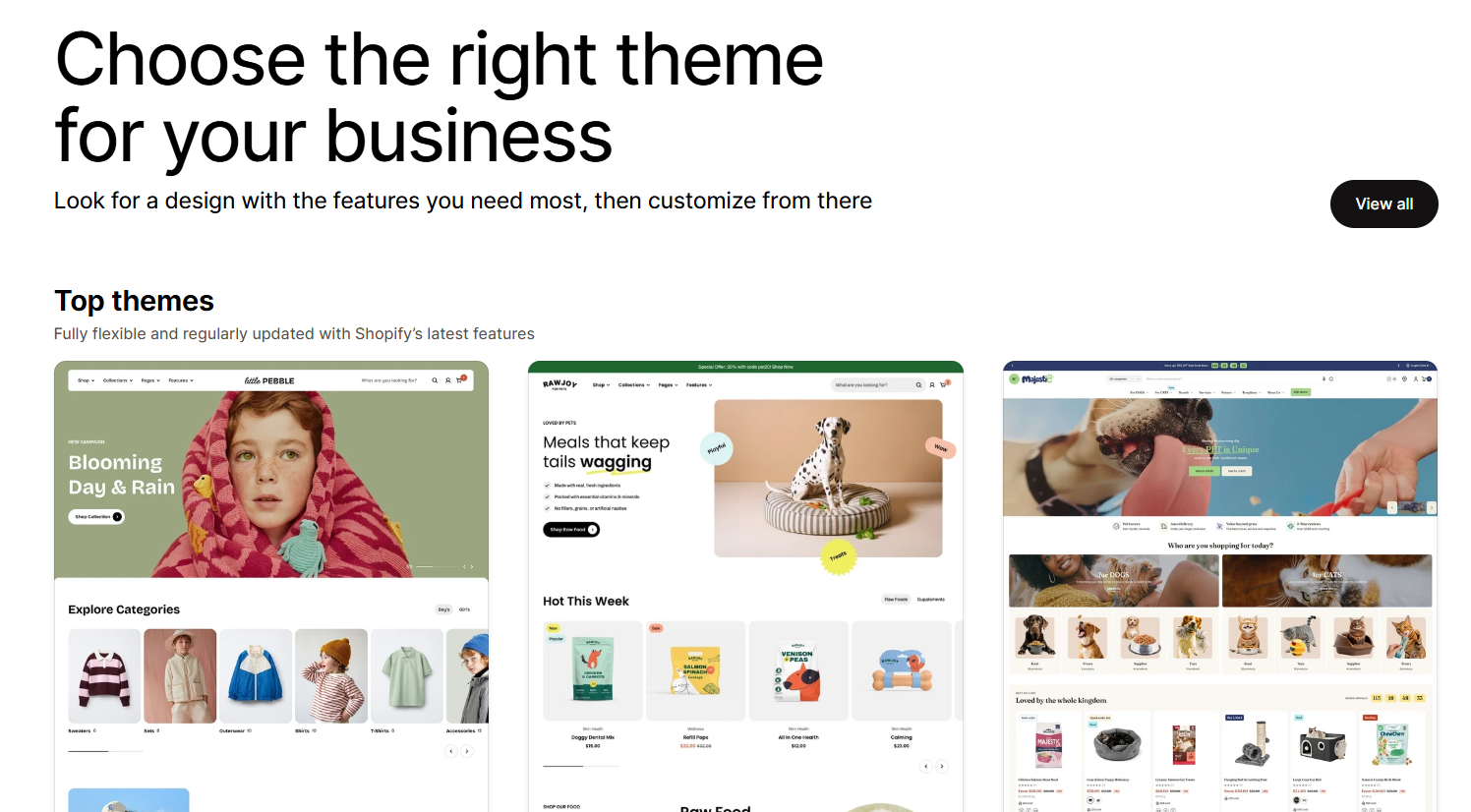
Changing your Shopify theme can cost you rankings and sales, and most of the damage happens in places that the every day user wouldn’t see. The design changes, so people judge the new theme on how it looks. However underneath the design, the theme also controls your canonical tags, your structured data, your internal links, your headings, your filtering and your page speed. It’s the same products, same URLs, same content, different wrapper, but that wrapper decides a lot of what Google understands about your store and how easily people can shop it.
After fifteen years building and reviewing ecommerce stores, the pattern I see most often is a re-theme signed off on looks alone, followed by a drop in traffic or conversion that nobody connects back to the launch. The fix is simple in principle. Audit the new theme against the old one before you go live, not after.
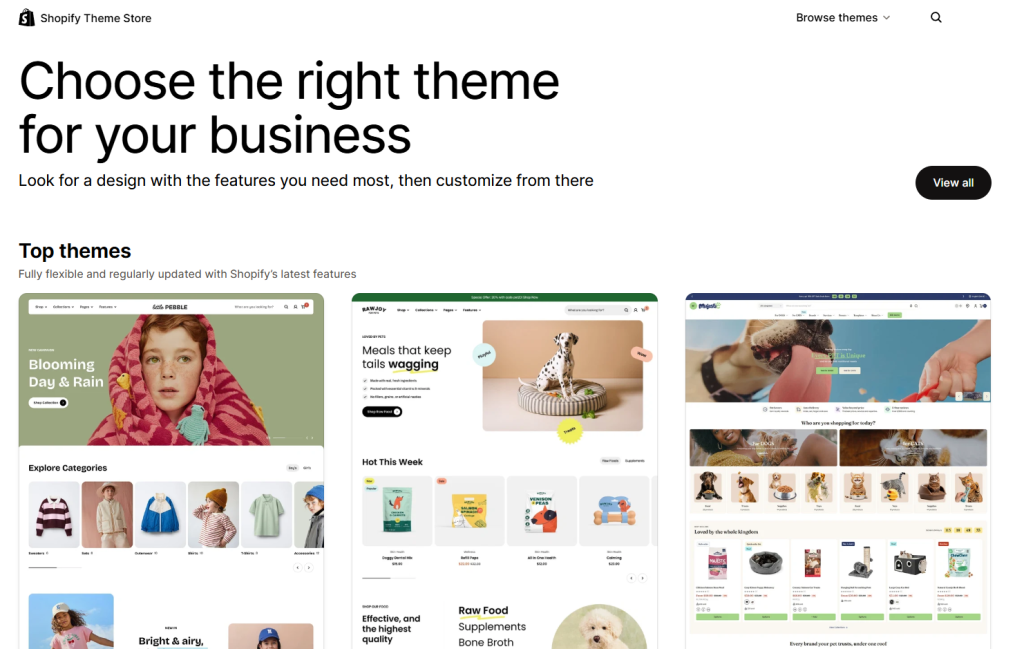
Does Changing Your Shopify Theme Affect SEO?
Yes, it can, even though you may have read that your products, URLs and descriptions stay exactly the same. In Shopify, a new theme and a new website are not the same thing. Your catalogue, your collection structure, your URL redirects and your blog all live at the store level and survive a theme swap untouched. What the theme controls is the layer Google reads to make sense of those pages.
That layer is bigger than most owners appreciate, and sometimes goes unappreciated by some Shopify developers who don’t understand ecommerce SEO. The theme decides your canonical tags, the structured data that earns rich results, the internal links passing authority around your site, your heading structure, your meta title template, how your filtering and search behave, and how fast the page loads. Once you change the theme, you have to understand that you’re changing all of these elements at the same time, whether you intended to or not. So the honest answer is that a re-theme is one of the higher-risk things you can do to an established store, precisely because it looks like a cosmetic job.
First, Do You Actually Need A New Theme?
Before any of this matters, worth asking the blunt question. Why are you changing theme at all? If the honest answer is “sales have gone flat and a fresh look feels like the fix,” pause. A new theme rarely solves a demand or conversion problem on its own, and it introduces the risks below on top of whatever was already wrong. More often the issue is traffic, pricing, product mix or a specific friction point in the funnel, none of which a new coat of paint repairs. I wrote separately about why your Shopify store isn’t making sales and how to fix it, and it’s worth reading first if a slow month is the real reason the re-theme is on the table.
If you do need the new theme, for genuine reasons like a dated codebase, poor mobile experience or features your current one can’t support, then go in with your eyes open about what you’re putting at risk.
The Filtering Trap You Don’t Realise Until It’s Too Late
This is the one that catches people out, so I’ll spend the most time on it. Filtering and search often run through a paid app rather than the theme itself. When you re-theme, and especially if you take the chance to drop that app to save on monthly costs, you’re not migrating your filters. You’re rebuilding them from scratch, whether anyone has said so out loud or not.
Shopify’s own Search & Discovery app handles filtering for free and it’s genuinely capable, but the configuration does not carry across on its own. Every filter set, every custom grouping, every synonym and every merchandising rule you built in the paid app has to be recreated in the native one, collection by collection. If nobody does that work before launch, customers arrive to filtering that’s either missing or half configured on your busiest pages.
Two specific things bite hardest. The first is stock. Native Shopify filtering checks whether a product has a given option, not whether that option is actually in stock. So a shopper can filter a collection by “Small,” click a product that matches, and find the Small sold out weeks ago. On paid traffic, you’ve just paid for a click that dead-ends on a size they can’t buy. It’s fixable with theme code, but it’s a fix someone has to write and test, not a setting you tick.
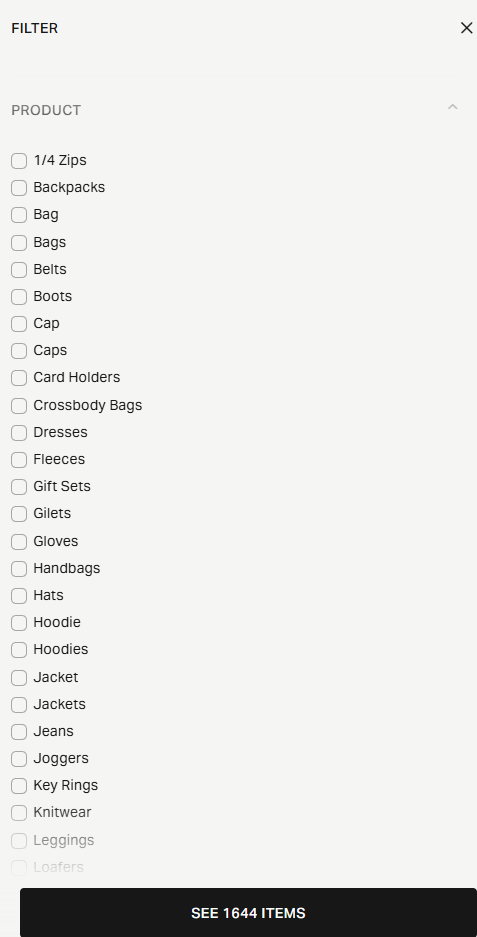
The second is your data. A good paid filter app quietly tidies messy catalogue data on the way out. It merges “Male” and “Mens” into one gender filter, groups “Cap” and “Caps” and “Hoodie” and “Hoodies” into single clean options. Native filtering shows the raw values exactly as they sit in your product data. Switch over without a cleanup and you get two gender filters that mean the same thing and a dozen near-duplicate product types, all at once, on your live store. The root problem was always in the catalogue. The old app was just hiding it for you.
None of this shows up when you look at the pretty new product grid. It only shows up when you actually try to filter it. So before you drop a filter app, screenshot and record every setting it holds, because once it’s uninstalled that configuration is gone and you’ve lost the spec of what the native setup needs to match.
The SEO Signals That Disappear Quietly
These are the changes you can’t see on the front end at all, which is exactly why they slip through. They live in the page source, and unless someone reads it, nobody notices until the rankings move.
Canonical tags are the first. The theme outputs them, so a new theme can change how they behave, including reverting to defaults or, worse, pointing internal links and canonicals at your .myshopify.com domain instead of your real one. If you run more than one store that shares product data, this is where duplicate-content problems either get fixed or get baked in for another year.
Structured data is the one people underestimate most. Your theme outputs the JSON-LD that makes you eligible for rich results, the star ratings, price and availability that show up under your listing in Google. Google’s own product structured data documentation is clear that a Product schema missing its rating won’t generate stars, and partial markup produces no rich-result lift at all. I’ve reviewed new themes that silently dropped the ratings, local-business and sitelinks-search-box markup the old theme was outputting. Nothing looked broken on the page. The store had just quietly lost its rich results.
Internal links and anchor text are the third. Your homepage carries more authority than any other page on the site, and the links out of it, with real descriptive anchor text, tell Google which pages matter and what they’re about. I’ve seen redesigns replace a block of keyword-rich brand links (“On Running,” “Barbour,” “Belstaff”) with a single tidy “About Us” button and a paragraph of brand-agnostic prose. It reads beautifully. It also strips out the exact signals that were feeding authority to the commercial pages that pay the bills.
Then the small stuff that adds up. Duplicate headings, where the same wording is set as both an H1 and an H2. Meta title templates that append your store name a second time, so a title that already ended in your brand now carries it twice and gets truncated in the results. On their own, minor. Together, they signal a theme that shipped without anyone checking the source.
UX Details That Slip Through The Net
SEO gets the headlines here when you see rankings dropping, but the same “looks finished, isn’t finished” problem hits the shopping experience too, and desktop tends to convert better than mobile, so it’s worth the attention.
Watch the stock behaviour when you select a variant. On more than one new theme I’ve seen badges like a “only 1 left” button stay live on a size that’s already sold out or has lots of stock, for a second or two before the page catches up. In that window a customer is getting confused with what the page is telling them.
Check the product gallery on desktop. Stacked image galleries look modern, but if the product information column isn’t sticky, a shopper has to scroll past every image before they can reach the description, delivery details or size guide. Making that column sticky, so the price and add-to-basket stay in view while the images scroll, is a small change that removes real friction.
Look hard at the “you might also like” rows too. I’ve seen a redesign add a “same collection” row that just dumps in dozens of products from whatever collection the item happens to sit in, sitting right above another row doing almost the same job. Shopify’s Search & Discovery has a proper complementary-products feature for genuine cross-sell, the “wear it with” pairings you curate per product. If your dev has hand-rolled a collection dump instead, you’ve got clutter where you wanted a nudge.
Read the placeholder content. New themes often ship with template text in the delivery, returns, sizing and care sections that nobody has swapped for your real information yet. While you’re checking copy, check your email signup block. If the wording that explains why people should subscribe has changed or gone generic, you’ll quietly convert fewer of them, and the ones who do sign up may not get what they expected. I covered that failure mode in 10 reasons people unsubscribe from your online store emails, and a re-theme is a common moment for that wording to drift.
Did You Remember To Update Your Email Marketing Signup Forms?
New themes on Shopify will ship with a nice clean signup form that you like the look of. Enter your details and yeah it’ll say you’ve successfully signed up for your newsletter. Did it though? If you’re using a ESP like Klaviyo, chances are you have signup forms created and linked to Klaviyo lists / segments rather than sending signups by default into Shopify. You don’t want to revert this unless you’re moving away from your ESP.
Be aware of how your email signup points work, otherwise your email flows will start to take a nosedive in performance in the next few weeks and months until you realise.
Have You Carried Over Your Tracking Tags?
This one gets missed more than almost anything, because the tracking that breaks leaves no mark on the page. It lives in two different places, and only one of them will survive a theme change.
Some of your tracking lives at the store level and carries over on its own. Anything connected through Shopify’s Customer Events, the Google & YouTube channel, the Meta channel, or the additional scripts on your order status page will keep firing after the swap. That’s the bit that looks after itself but you should ensure you have checked that these are definitely connected and not just legacy apps.
The bigger risk lies in the tracking that’s hardcoded into the theme. A GA4 tag dropped straight into theme.liquid, a Google Ads conversion snippet, a Meta pixel, a Klaviyo onsite script, or some legacy analytics code nobody ever removed. A new theme means a new theme.liquid, and every one of those goes with the old theme unless someone copies it across first. Nothing looks broken on the front-end but your data will stop arriving as the pipework has been blocked.
That’s why you have to know how each platform is actually wired before you launch, rather than assuming it’s just there. Is your GA4 running through a hardcoded tag or through Customer Events? Is your Google Ads conversion tracking coming from the theme or the sales channel? Not everything is a snippet in the code, and the parts that are will disappear without a warning. If you miss a Google Ads conversion tag and the platform stops recording sales, Smart Bidding starts optimising blind against no conversion data, and your remarketing audiences stop filling. You might not catch it until weeks later when the numbers look wrong, by which point the bidding has been training on a hole in your data.
So before go-live, list every tag and pixel on the current store, note whether each one is theme-level or store-level, and confirm the theme-level ones are rebuilt and firing on the new theme. Use GA4 realtime, Google Tag Assistant and the Meta Pixel Helper to check they’re genuinely sending, rather than trusting that they are.
Why “the AI told me to” Makes It Even Worse
More and more Shopify owners, and their respective ecommerce managers, are now handing theme and content decisions to an LLM, and the risk there is not to be underestimated. The model does what you ask. If you ask it to make your homepage look more premium, it will happily rewrite the copy and simplify the links, because you never told it that those brand links were carrying your internal authority – maybe you didn’t even realise if you’re not savvy with SEO. The context it needs to protect your SEO isn’t in the prompt, so it optimises for the thing you asked for and quietly costs you the thing you didn’t mention.
I’m not against using AI on a store, I use it every day. But it needs a brief that includes what must be preserved, not just what you want improved. I went in more depth on this in AI SEO mistakes in ecommerce, and it’s the single biggest reason well-meaning changes end up hurting a site. The tool isn’t in the wrong at all. The brief it was wortking to was incomplete.
Your Mini Pre-Launch Checklist
Put the new theme and the current one side by side, and go through both. Don’t rely on how it looks. Read the source and click through the real journeys.
SEO foundations
- Canonical tags on product and collection pages point to your real domain, never the myshopify.com one.
- Product, breadcrumb and organisation structured data still output, and pass Google’s Rich Results Test.
- Star-rating, local-business and search-box markup that your current theme outputs is still there.
- Homepage keeps real text links to your key collections and brands, with descriptive anchor text.
- One H1 per page, a logical heading order, and no meta title with your brand name doubled up.
- Collection SEO copy sits in the page source, not injected by JavaScript after load.
- hreflang tags, if you use them, carried across.
Search and filtering
- Every filter from your current setup exists on the new theme, collection by collection.
- If you used a search app on the current site, has it been implemented on the new theme?
- If not and you revert to default Shopify filters, ensure they’re fully tested and you understand their limitations.
- Filtering respects stock, so sold out products shouldn’t be showing
- Duplicate or raw filter values (Male/Mens, Cap/Caps) are cleaned at source before launch. These are often grouped in apps like Boost
- Search synonyms and redirects are rebuilt in the new search tool.
- Every setting from any filter app you’re dropping is recorded before it’s uninstalled.
Shopping experience
- Selecting a sold-out variant disables “Add to Basket” immediately, with no buyable window.
- Product info stays reachable on desktop without scrolling through the whole gallery.
- Recommendation rows serve a purpose and don’t repeat each other.
- Delivery, returns, sizing and care sections show your real content, not template text.
- Email signup wording still matches why people subscribe in the first place.
- Tracking and every app embed are re-enabled and firing before, not after, go-live.
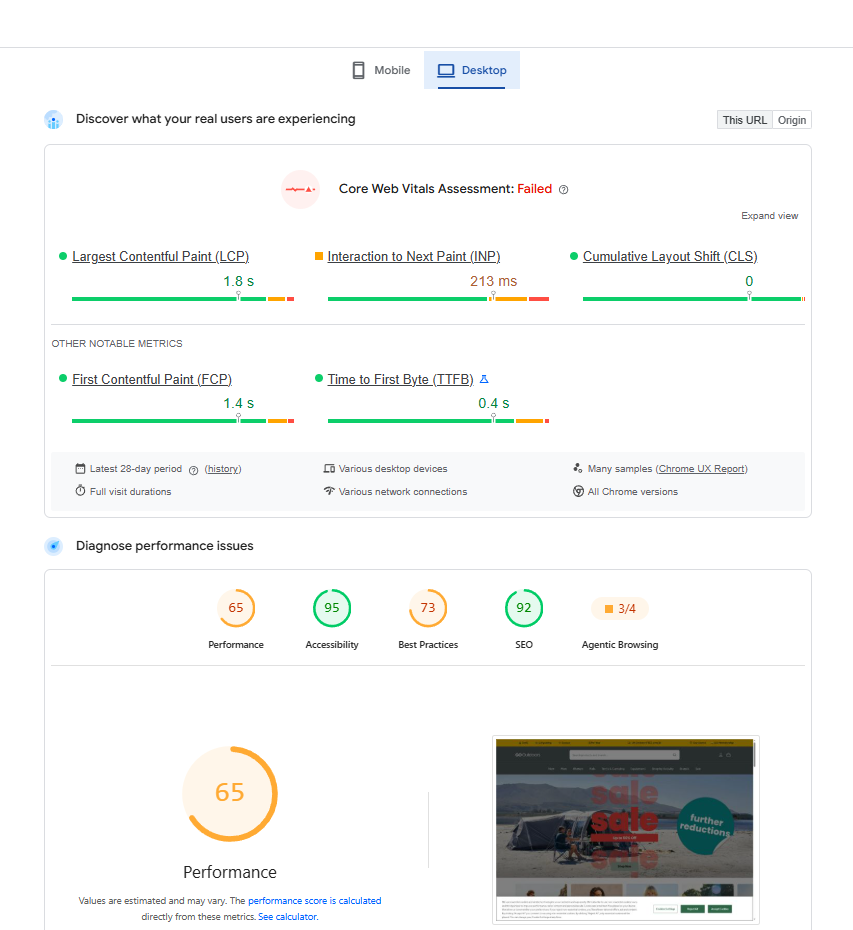
Run the page through a speed test as well, old versus new. A better-looking theme is often a heavier one, and a slower page is a quieter conversion killer than any of the above. Google’s PageSpeed Insights or GTMetrix would be my recommended tools for this.
When Should You Launch A New Shopify Theme?
I would always advise not launching a site in the middle of your peak season, whenever that be. If you rely heavily on Q4 sales from Black Friday and Christmas for example, I would never advise anyone to launch a re-theme in the run-up to this trading window. It’s too risky unless you test the life out of the site and ensure your SEO is not going to be affected. I’d likely push back hard if a client wanted to. You’re introducing every risk above at the exact moment your traffic and revenue are highest and your own attention is thinnest. If something breaks, it is going to be costly in missed sales, and you won’t have the headspace in a key trading period to firefight it. Plus, designer / developers etc are all maxed out during this period meaning you can’t guarantee an instant fix.
Launch in a quiet period, watch the numbers for a fortnight, and fix in calm rather than in crisis.
Frequently Asked Questions
Does changing my Shopify theme affect SEO?
It can, even with identical products and URLs. The theme controls your canonical tags, structured data, internal links, headings and page speed, so changing it changes the signals Google reads, whether you intended to or not. Audit the new theme against the current one before launch.
Will I lose rankings when I change theme?
Not automatically, but you can if the new theme drops structured data, weakens internal linking, changes canonicals or slows the page down. Catch those before go-live and rankings should hold. Miss them and the drop can take weeks to show, by which point it’s hard to trace back.
Do my URLs change when I switch Shopify theme?
No. Product, collection and page URLs live at the store level and are unaffected by a theme change. URLs only change if you also restructure navigation or collections, in which case you need redirects. The theme swap itself leaves your URLs alone.
Is Shopify’s native filtering as good as a paid filter app?
For many stores it’s enough, and it’s free. But the configuration doesn’t transfer from a paid app, so moving across is a rebuild, not a migration. Native filtering also doesn’t check variant stock by default, so it needs care around sold-out sizes. Plan the rebuild before you drop the paid app.
Should I launch a new theme before a peak trading period?
No. Launching a re-theme just before Black Friday or Christmas stacks every migration risk onto your highest-revenue window. Launch in a quieter period, monitor for two weeks, and resolve issues before peak arrives.
How long before launch should I review the new theme?
Early enough to fix what you find, so weeks, not days. Reviewing a build the night before go-live means you either launch with known problems or delay at the worst moment. Get in while there’s still time to change things.
Planning A Re-Theme? Get It Checked Before It Goes Live.
I review new Shopify builds against the current site and hand you a clear list of what to fix before launch, so the redesign improves your store instead of quietly costing it. If a slow month is behind the re-theme, I’ll tell you that too.
Two of my services are useful here. My ecommerce SEO consultancy to check any work that your developer is doing for you ahead of launching. Alternatively I do Shopify builds & new theme implementation as one of my additional services.
Want the wider picture first? Here’s my full range of ecommerce services, and a related read: 5 SEO mistakes costing Shopify stores that most agencies miss.